
CDP for Azure introduces fine-grained authorization for access to Azure Data Lake Storage using Apache Ranger policies. Cloudera and Microsoft have been working together closely on this integration, which greatly simplifies the security administration of access to ADLS-Gen2 cloud storage.
Apache Ranger provides a centralized console to manage authorization and view audits of access to resources in a large number of services including Apache Hadoop’s HDFS, Apache Hive, Apache HBase, Apache Kafka, Apache Solr. Apache Ranger provides a rich and powerful policy model, with features like wildcards in resource names, explicit deny, time-based access, support for roles, delegated policy administration, security-zones, and classification-based authorization among others. In addition, Apache Ranger enables policy-based dynamic column-masking and row-filtering. CDP for Azure makes all the richness and simplicity of Apache Ranger authorization available for access to ADLS-Gen2 cloud-storage.
In the next few sections we’ll give you an overview of the common challenges this new capability addresses, how it is configured as well as used.
Use case #1: authorize users to access their home directory
Let’s consider a simple use case – set up a policy to allow users complete access to their home directory in ADLS-Gen2.
Ranger policy for ADLS-Gen2
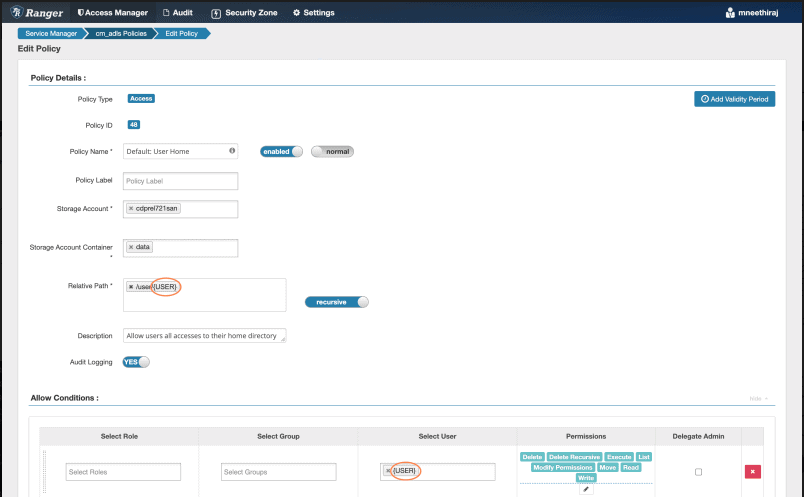
Figure 1:Ranger policy for access to user home directory in ADLS-Gen2
Above policy allows all users full access under their home directory, /user/<user-name>, in the given ADLS-Gen2 storage account and container. Note the use of the {USER} macro in resource-path and the username. The macro is replaced with the username while Apache Ranger policy engine evaluates the policy for authorizing an access.
User accesses home directory in ADLS-Gen2
To see the above policy in action, let us perform a few command-line operations to list a directory, create, read, and delete a file.
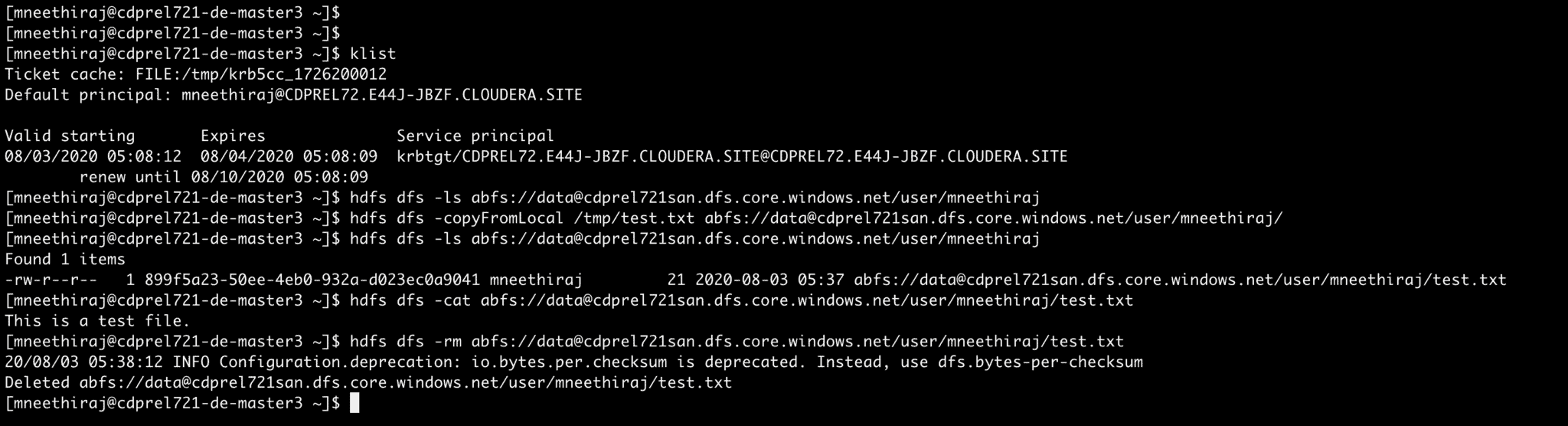
Figure 2: Access home directory contents in ADLS-Gen2 via Hadoop command-line
The audit log for the above operations, with details like time, user, path, operation, client IP address, cluster name, and Ranger policy that authorized the access, are interactively available in Apache Ranger console. Also, the audit logs are stored in a configurable ADLS-Gen2 location for long term access.

Figure 3: Ranger audit logs showing access to home directory contents in ADLS-Gen2
User attempts to access another user’s home directory in ADLS-Gen2
Now let’s try to access data in another user’s home directory. The access is denied, and the audit logs record the attempted access.
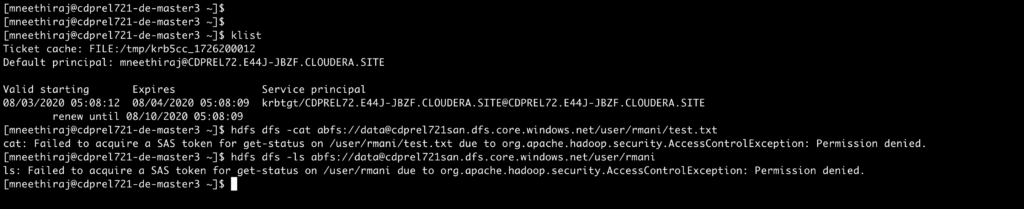
Figure 4: Denied access to home directory of another user
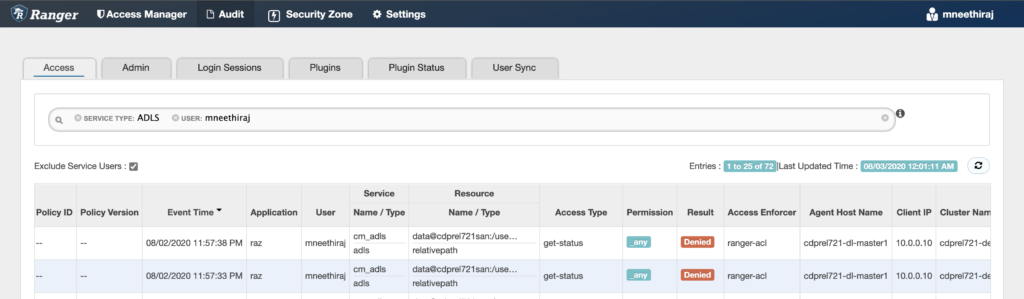
Figure 5: Ranger audit logs showing denied accesses to home directory of another user
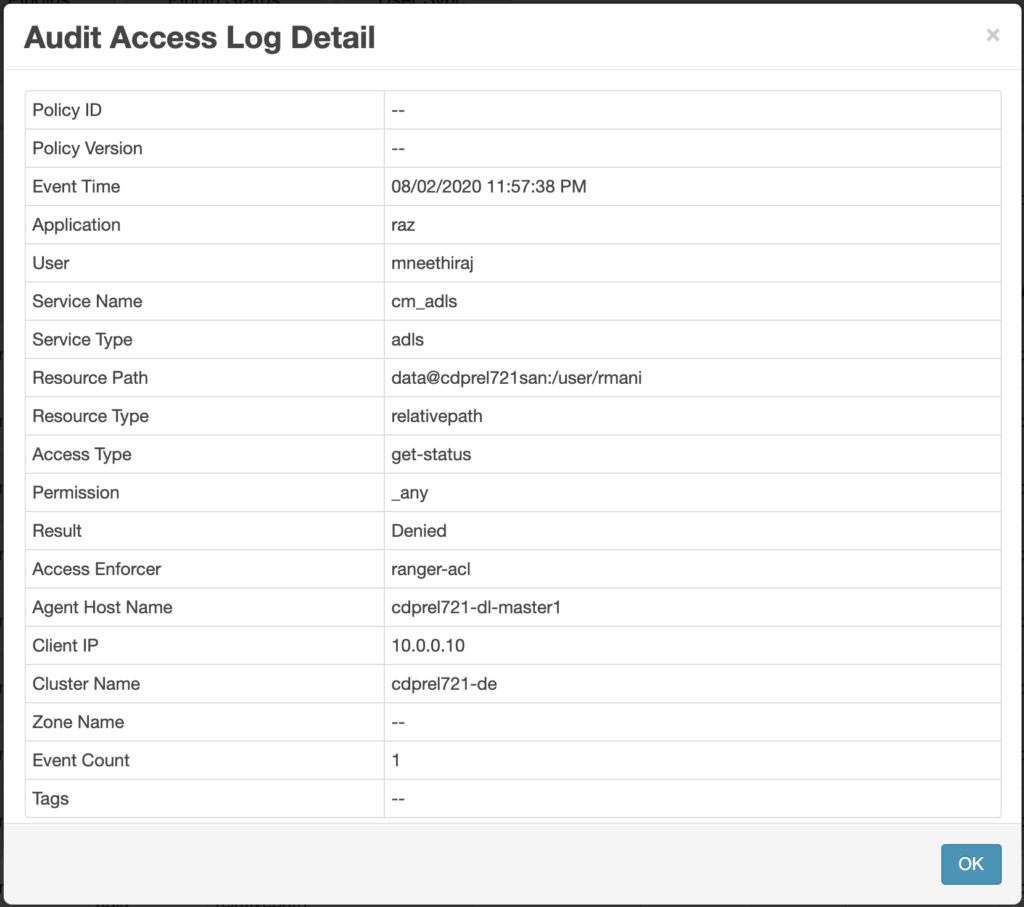
Figure 6: Ranger audit log details showing who accessed what, when, from where
Use case #2: access from Spark
For our next use case, let’s submit a Spark job that reads data and writes results in ADLS-Gen2. Spark executors that run in YARN containers access ADLS-Gen2 using delegation-tokens.
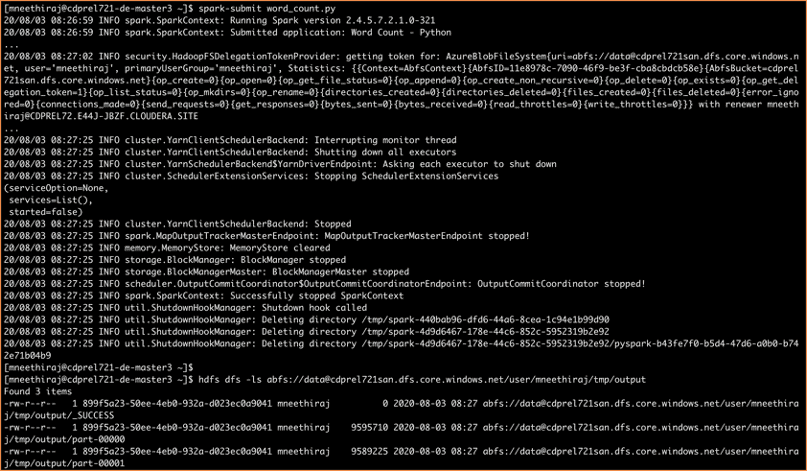
Figure 7: ADLS-Gen2 access from Spark jobs – authorized by Ranger policies
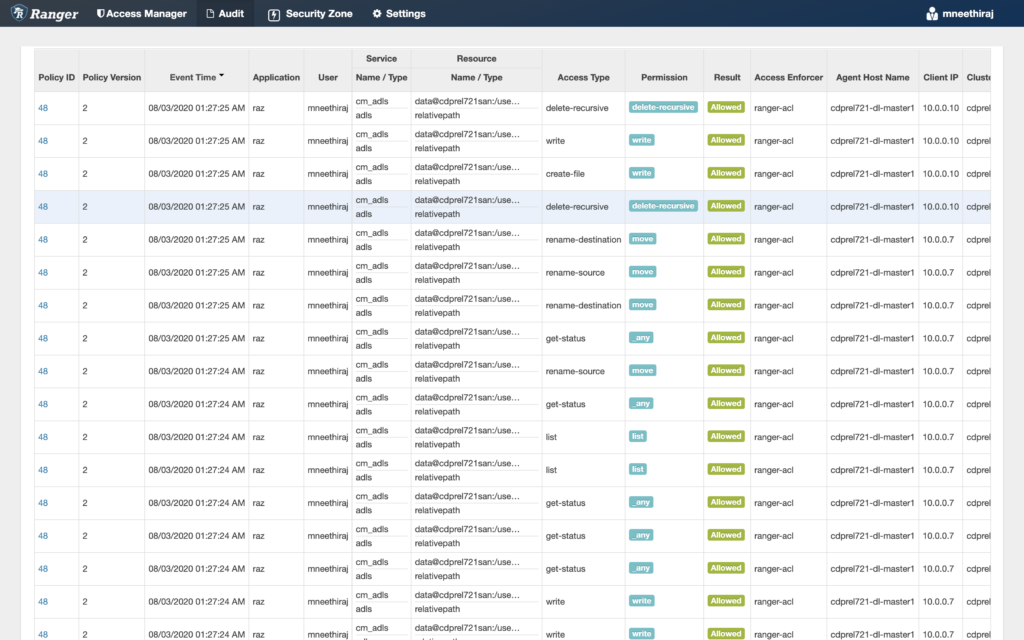
Figure 8: Ranger audit logs showing ADLS-Gen2 accesses from Spark jobs
Note that all accesses are performed as the user who submitted the Spark job – mneethiraj. Audit logs show that Spark job execution creates temporary files and directories, which are then deleted at the end of the job execution.
Use case #3: access from Hive/Impala queries
Next, we will create a Hive external table with data in ADLS-Gen2 using following statement:

Figure 9: Create an external table in Hive that reads data from ADLS-Gen2 directory
For the above table creation, the lineage is tracked in Apache Atlas – as shown below:
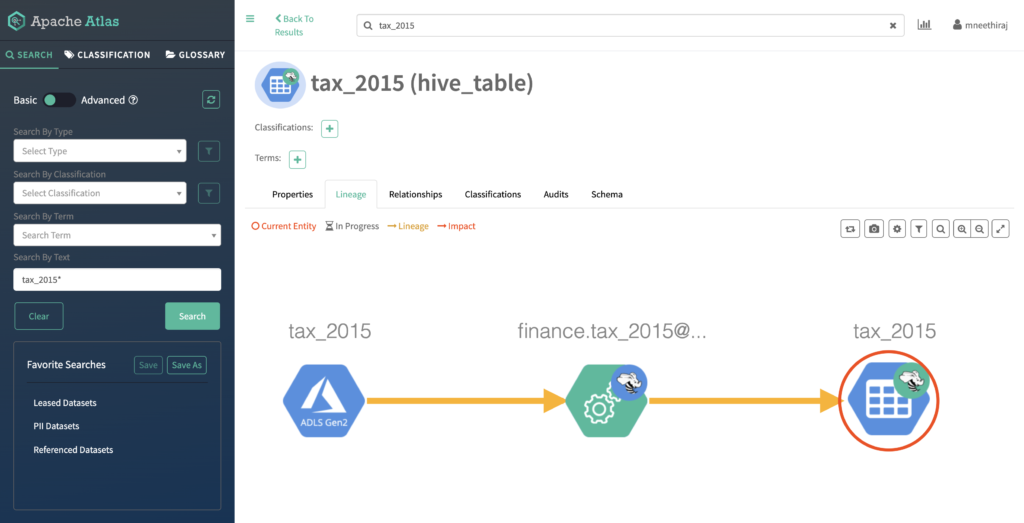
Figure 10: Lineage between ADLS-Gen2 directory and Hive table
When a query is executed on this table, data in ADLS-Gen2 is accessed by HiveServer2 using its service-user identity ‘hive’, as can be seen in Ranger audit logs.
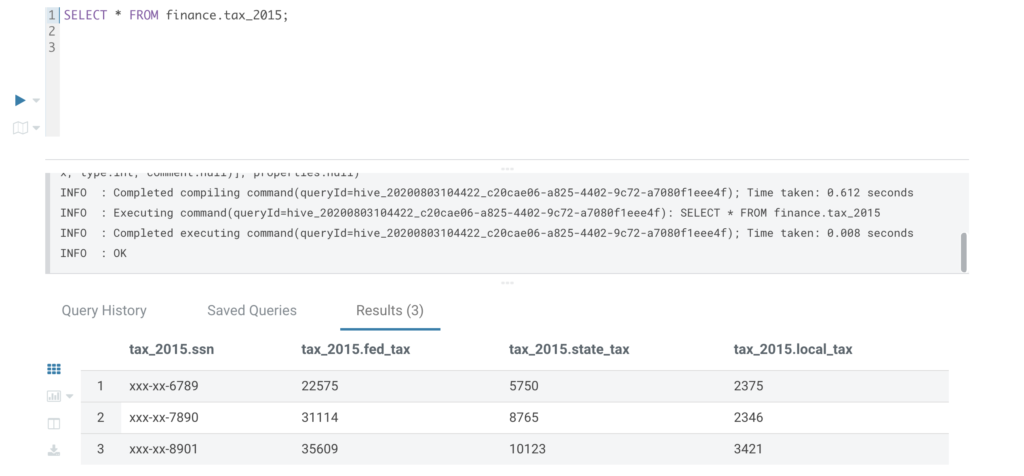
Figure 11: Query on Hive table, which reads data from ADLS-Gen2 directory
Note that Hive SELECT operation is authorized for the user running the query: mneethiraj, and access to table data in ADLS-Gen2 is authorized for HiveServer2 service-user: hive.
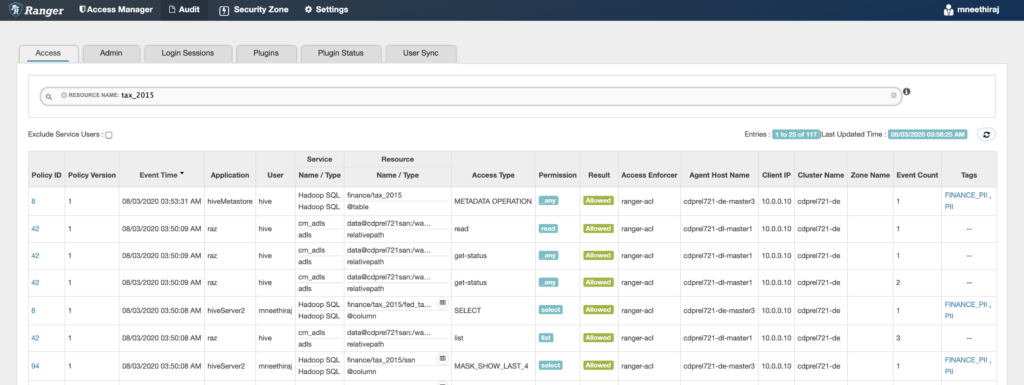
Figure 12:Ranger audits showing authorizations for a query execution: Hive table, ADLS-Gen2
Use case #4: classification-based access control
In our penultimate use case, we’ll add the following classification in Apache Atlas for the ADLS-Gen2 directory tax_2015.db:
EXPIRES_ON, with attribute expiry_date=2020/01/01
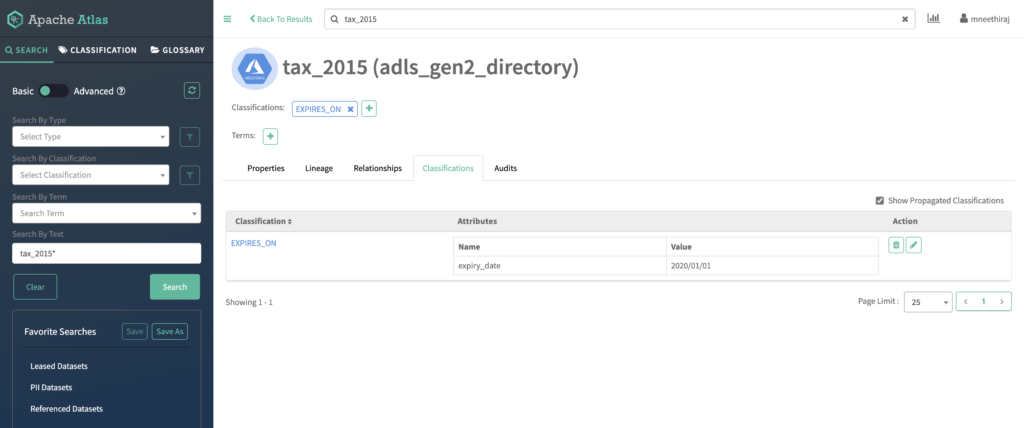
Figure 13: EXPIRES_ON classification on ADLS-Gen2 directory, with expiry_date
A pre-configured classification based policy in Apache Ranger, for EXPIRES_ON classification, will deny access to ADLS-Gen2 directory contents after the specified expiry_date – as shown below:

Figure 14: Denied access to ADLS-Gen2 directory denied after expiry_date
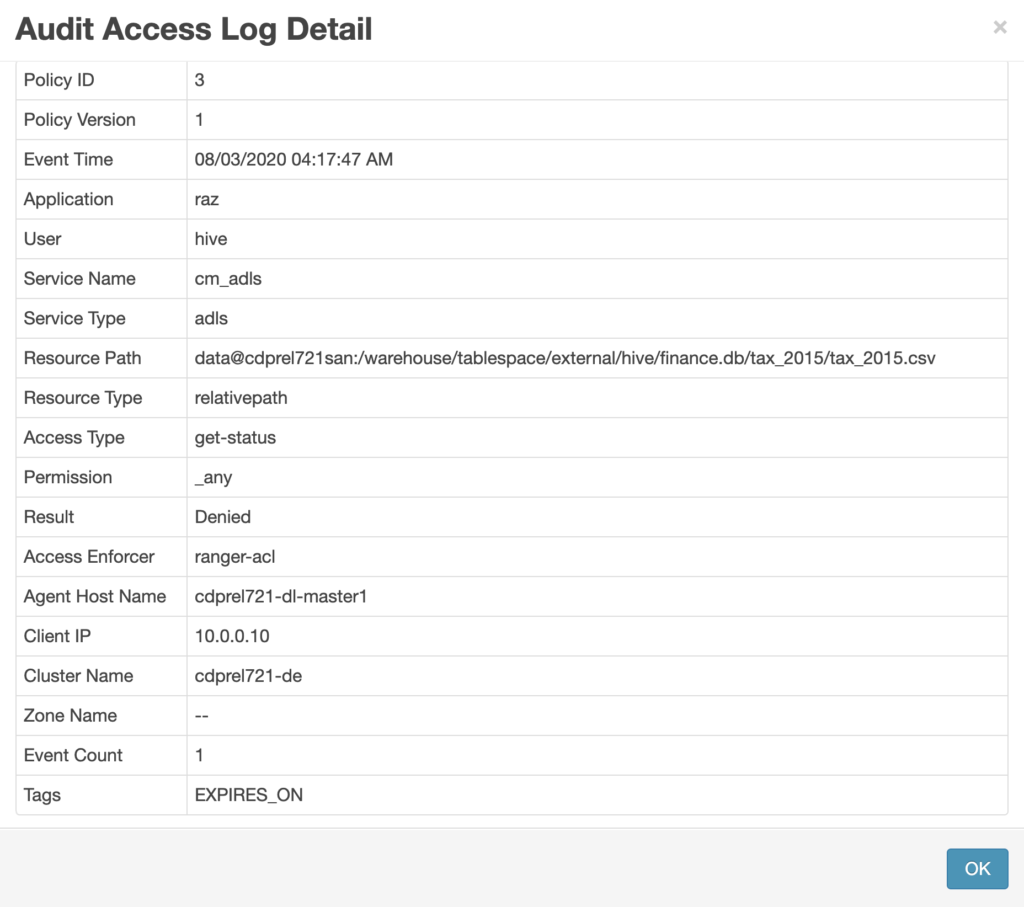
Figure 15: Ranger audit log showing details of denied access to ADLS-Gen2 directory
Use case #5: classification propagation from ADLS-Gen2 to Hive table
In this last use case, we’ll highlight how the classification added to ADLS-Gen2 directory in the previous step is propagated automatically to the Hive external table finance_db.tax_2015, due to the lineage tracked in Apache Atlas.
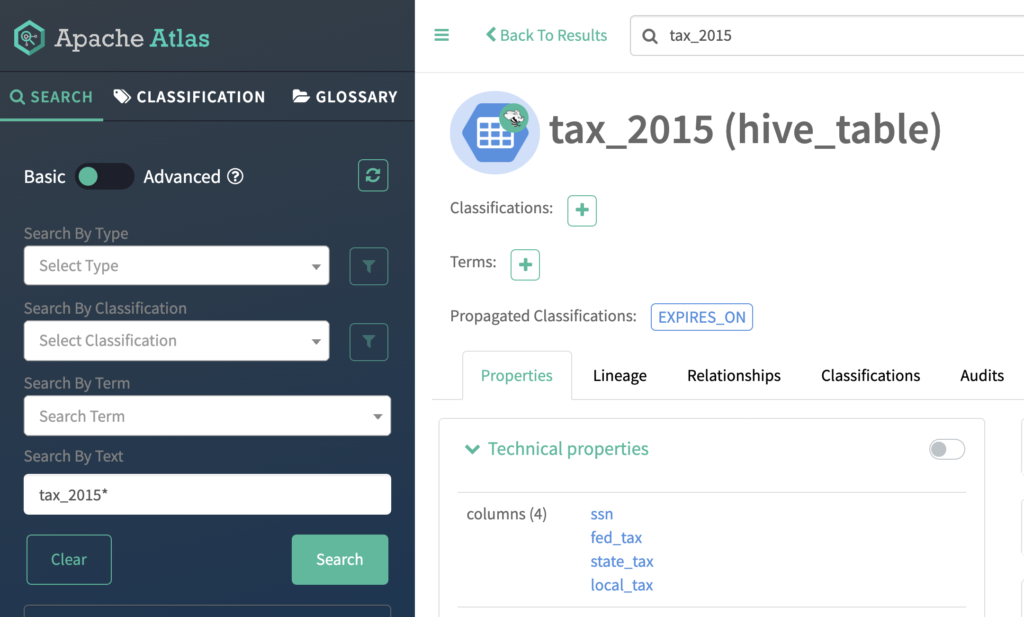
Figure 16: EXPIRES_ON classification propagated to Hive table from ADLS-Gen2 directory
Any attempt to access data in this derived Hive table will be denied by the same classification-based policy that denied access to ADLS-Gen2 directory.
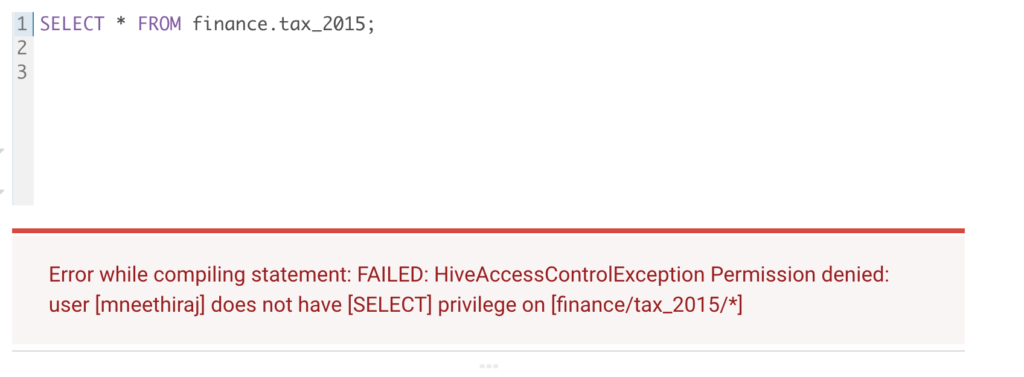
Figure 17: Denied access to Hive table after expiry_date
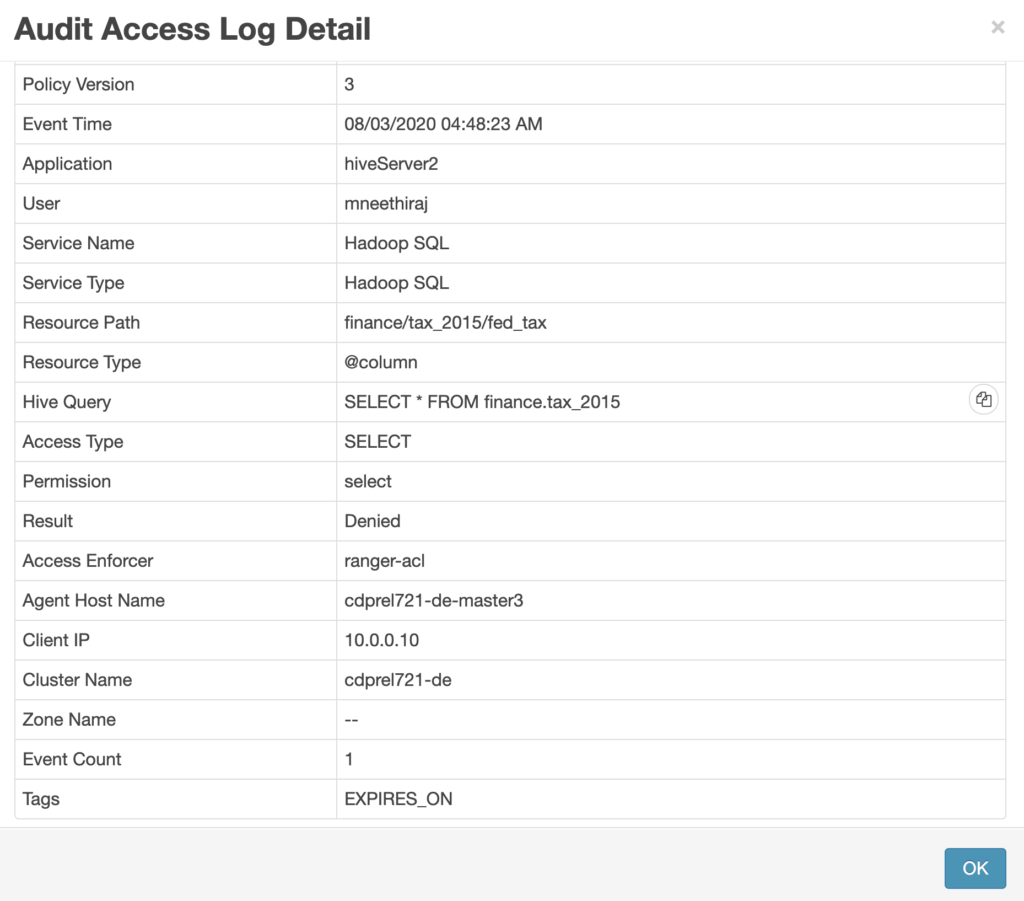
Figure 18: Ranger audit log showing details of denied access to Hive table
Pre-requisites
Raz feature enabled CDP for Azure environment
A Cloudera Data Platform environment with the Raz (Ranger Remote Authorization) feature enabled is a prerequisite to authorize access to ADLS-Gen2 using Apache Ranger policies. Please contact your Cloudera account manager to enable this capability.
What’s next?
We hope this blog helped you understand the ADLS-Gen2 access control using Apache Ranger policies in Cloudera Data Platform. In addition to making it easier to setup access controls, the ability to interactively view audit logs of ADLS-Gen2 access can help address specific compliance needs.
Stay tuned for more blogs that will cover the following topics:
- Apache Ranger fine-grained authorization for AWS-S3
- Accessing CDP generated ADLS-Gen2 files/directories outside CDP and vice-versa